
Typing Speed Test
Test and improve your typing speed (WPM) and accuracy online.
Typing Speed Test – Check Your Typing Speed Online
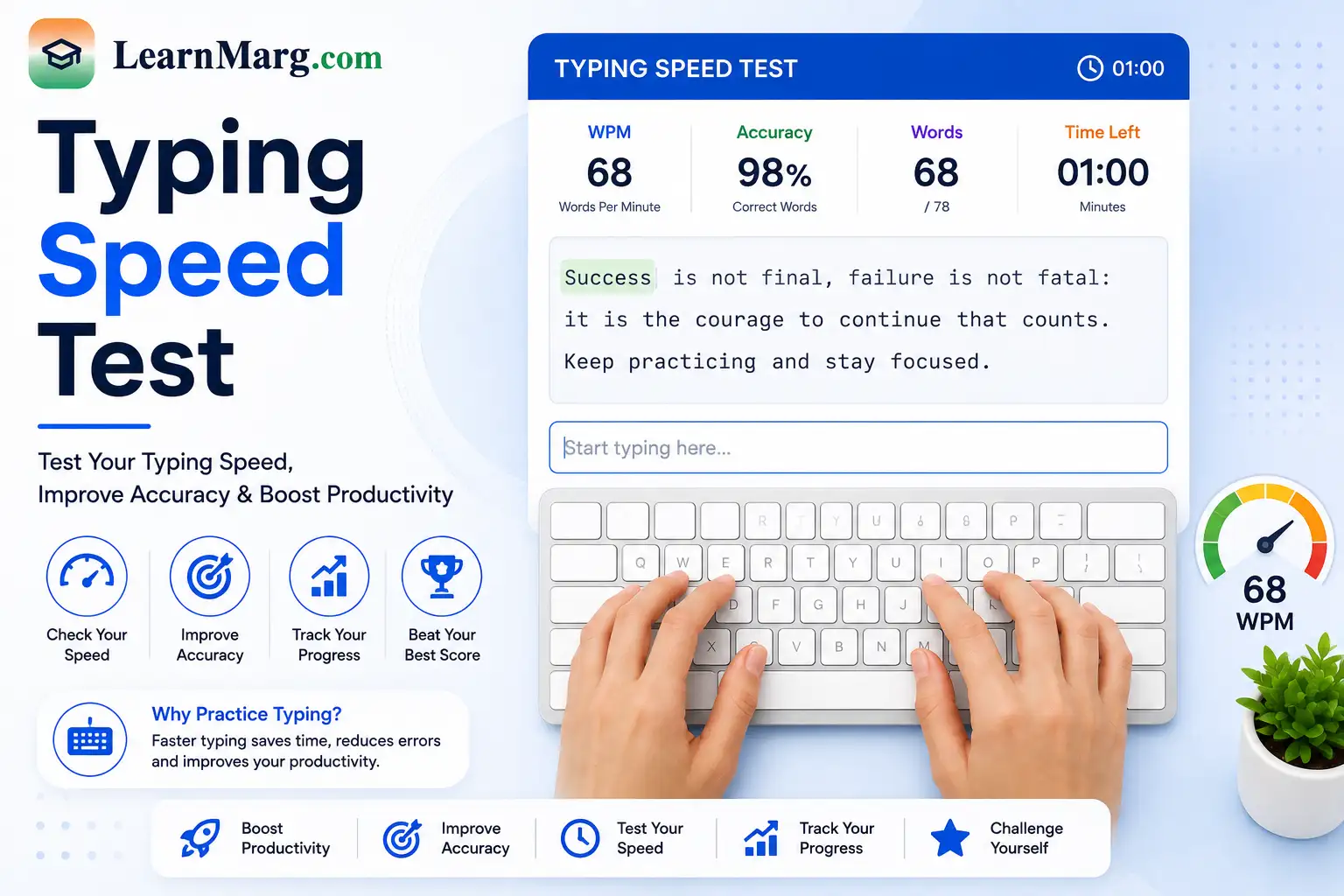
A Typing Speed Test is an online tool that helps you measure how fast and accurately you can type. It is useful for students, job seekers, office workers, writers, and anyone who wants to improve their keyboard skills.
The test usually measures your typing speed in words per minute (WPM) along with your typing accuracy.
What Is a Typing Speed Test?
A Typing Speed Test measures how quickly you can type a given passage of text. During the test, you type the displayed words as accurately as possible within a fixed amount of time.
After completing the test, you can usually see your:
- Typing speed
- Words per minute (WPM)
- Accuracy
- Correct words
- Incorrect words
- Test duration
These results can help you understand your current typing level.
How to Take a Typing Speed Test?
Taking a Typing Speed Test is simple.
- Open the typing test tool.
- Select the available test duration.
- Read the text displayed on the screen.
- Start typing in the provided box.
- Type as quickly and accurately as possible.
- Complete the test.
- Check your WPM and accuracy score.
Try to avoid looking at the keyboard while typing if you want to improve your touch-typing skills.
What Is WPM in Typing?
WPM stands for Words Per Minute. It is one of the most common measurements used to describe typing speed.
For example, if you type around 40 standard words in one minute, your typing speed is approximately 40 WPM.
The exact calculation can vary slightly between different typing tests because websites may use different word-counting and timing methods.
Why Take a Typing Speed Test?
There are several reasons to check your typing speed.
Measure Your Current Speed
A typing test gives you an idea of how quickly you can type.
Improve Typing Skills
Taking the test regularly can help you identify areas where you need more practice.
Prepare for Jobs
Some jobs, especially data entry, office, customer support, and typing-related positions, may require a particular typing speed.
Track Your Progress
You can take the test regularly and compare your results over time.
Typing Speed Test for Students
Students can use a Typing Speed Test to improve their keyboard skills for assignments, online learning, exams, and computer-based work.
Regular practice can help students become more comfortable with the keyboard and type with fewer mistakes.
Typing Speed Test for Jobs
Typing speed can be useful for jobs that involve frequent computer use.
Some positions may have specific typing requirements, such as:
- Data entry operator
- Computer operator
- Customer support executive
- Office assistant
- Transcription work
- Content writing
If a job notification specifies a required typing speed, always follow the official test rules and eligibility requirements.
Typing Speed and Accuracy
Typing quickly is useful, but accuracy is equally important.
For example, typing 60 WPM with many mistakes may be less useful than typing 50 WPM with very high accuracy.
When practicing, focus on both speed and correct typing. As your accuracy improves, your speed can gradually increase.
How to Improve Typing Speed?
You can improve your typing speed with regular practice.
Practice Every Day
Even 10 to 15 minutes of daily practice can help you become more comfortable with the keyboard.
Focus on Accuracy
Try to reduce mistakes before trying to type faster.
Learn Touch Typing
Touch typing involves using the correct fingers for different keys instead of relying mainly on visual keyboard searching.
Maintain Proper Hand Position
Keep your fingers in a comfortable position and use both hands while typing.
Do Regular Tests
Taking a Typing Speed Test regularly allows you to track your improvement and identify areas that need more practice.
What Is a Good Typing Speed?
A good typing speed depends on the purpose and type of work.
As a general reference:
| Typing Speed | General Level |
|---|---|
| Below 30 WPM | Beginner |
| 30–40 WPM | Basic |
| 40–50 WPM | Average |
| 50–60 WPM | Good |
| 60–80 WPM | Very Good |
| 80+ WPM | Fast |
These ranges are only general guidelines. Different jobs and typing tests may have different requirements.
What Is Typing Accuracy?
Typing accuracy shows how many characters or words you type correctly during the test.
For example, if you type most of the text correctly with only a few mistakes, your accuracy score will be high.
Aiming for 95% or higher accuracy is a useful practice goal, although the ideal score depends on your purpose.
Benefits of an Online Typing Test
- Measures typing speed
- Checks typing accuracy
- Helps improve keyboard skills
- Useful for job preparation
- Helps track progress
- Simple to use
- No special software required
Frequently Asked Questions
What is a Typing Speed Test?
A Typing Speed Test is an online test that measures how quickly and accurately you can type a given text.
What does WPM mean?
WPM means Words Per Minute. It is a common measurement used to describe typing speed.
What is a good typing speed?
A typing speed of 40–50 WPM is generally considered a useful everyday speed, while 60 WPM or more is considered fast for many general typing tasks.
How can I increase my typing speed?
Practice regularly, focus on accuracy, learn touch typing, use the correct finger positions, and take regular typing tests to track your progress.
Is accuracy important in a typing test?
Yes. High speed with many errors is usually less useful than a good combination of speed and accuracy.
Can students take a typing speed test?
Yes. Students can use it to practice keyboard skills and track their typing improvement.
Can a typing test help with job preparation?
Yes. It can help you practice for jobs that require typing skills. If a recruitment process has a specific typing test, follow its official rules.
Can I take a typing test on mobile?
Typing tests are generally easier to complete on a physical keyboard because they are designed to measure keyboard typing speed. Mobile typing results may not be directly comparable.
Other Useful Online Tools
Along with the Typing Speed Test, our website provides several other useful tools for calculations, conversions, and document management.
Age Calculator
The Age Calculator helps calculate your exact age in years, months, and days from your date of birth.
Percentage Converter
The Percentage Converter helps calculate percentages from marks, scores, and other values.
Calculator
The Calculator helps perform basic mathematical calculations such as addition, subtraction, multiplication, and division.
Unit Converter
The Unit Converter helps convert measurements such as length, weight, temperature, area, and volume.
Time & Date Calculator
The Time & Date Calculator helps calculate differences between dates and times and perform other date-related calculations.
PDF Convert Tools
PDF Convert Tools help convert supported files to and from PDF format for common document tasks.
Image Compressor
The Image Compressor reduces image file size, making images easier to upload, store, and share.
Image to PDF
The Image to PDF tool converts supported images into PDF documents for applications, certificates, forms, and other documents.
Currency Converter
The Currency Converter helps convert amounts between different currencies for quick estimates.
PDF Merger
The PDF Merger combines multiple PDF files into a single document for easier organization.
Discount Calculator
The Discount Calculator helps calculate discounts and find the final price after applying a discount.
Average Calculator
The Average Calculator helps calculate the average of multiple numbers quickly.
Conclusion
A Typing Speed Test is a useful way to measure your typing speed and accuracy. Whether you are a student, job seeker, office worker, or regular computer user, practicing typing can help you become faster and more comfortable with a keyboard.
Take the test regularly, focus on accuracy, and track your WPM to see your typing skills improve over time.